 listicle
Best Smart Locks for Elderly Safety: 2026 Guide
Table of Contents
- Best Smart Locks for Elderly Safety: Quick Comparison
- How We Evaluated Smart Locks for Senior Users
- Easy-to-Use Door Locks for Elderly: What Makes Them Different
- Keypad Door Locks for Seniors: PIN Codes and Biometric Access
- Smart Locks with Caregiver Access: Remote Monitoring and Control
- Smart Lock Battery Backup and Emergency Access Planning
- Installation, Compatibility, and When to Call a Professional
- Which Smart Lock Should You Choose?
- Frequently Asked Questions
Last Updated: October 17, 2026
Best Smart Locks for Elderly Safety: Quick Comparison
Finding the right smart lock for an aging parent or senior loved one requires looking beyond flashy features. The best smart locks for elderly safety prioritize reliability, simplicity, and emergency access over trendy automation. At A-1 Locksmith, we've installed and serviced smart locks for families across Huntsville and East Texas, and we've learned what actually matters when safety and peace of mind are on the line.
The challenge isn't finding a smart lock, it's finding one that works reliably when a caregiver needs to check on someone, when arthritis makes fine motor movements difficult, when memory lapses happen, and when the power fails at 2 a.m. This guide covers the smart locks that handle those real-world scenarios.
Quick Picks:
- Best Overall for Caregivers: Nest x Yale, offers keyless access, voice control, and remote monitoring that lets family members unlock doors without physical keys
- Best Budget Option: TP-Link Tapo DL100, simple keypad interface at an accessible price point
- Best for Reliability: Schlage Arrive Smart WiFi Deadbolt, Wirecutter's top pick, praised for strong hardware and straightforward installation
- Best for Multiple Access Methods: August Wi-Fi Smart Lock, combines keypad, app, and physical key backup with clear battery alerts
How We Evaluated Smart Locks for Senior Users
We focused on four criteria that matter most when installing locks for older adults: ease of use, caregiver access, reliability, and emergency planning. Generic smart-lock reviews miss these entirely.
Ease of use means large, tactile keypads with high contrast. It means the lock works when hands shake or arthritis makes precise movements painful. It means setup doesn't require a computer science degree.
Caregiver access is non-negotiable. A lock is only as good as a caregiver's ability to check in, unlock remotely in emergencies, and receive alerts when doors open or close.
Reliability trumps features. A lock that occasionally fails to unlock or loses connection is worse than useless. We prioritized models with proven track records and battery backup systems.
Emergency planning separates good senior-focused locks from mediocre ones. What happens if the power fails? If the battery dies? If someone gets locked out? The best locks answer these questions clearly.
Easy-to-Use Door Locks for Elderly: What Makes Them Different
Easy-to-use door locks for elderly users share specific design features that generic smart locks skip.
Large, raised keypads with high-contrast numbers are essential. A standard lock with small, flat buttons doesn't work for hands with arthritis or tremors.
Backlighting matters more than manufacturers admit. A lock in a dimly lit hallway becomes unusable if numbers aren't illuminated. The best models have automatic backlighting that activates when motion is detected or when someone approaches.
Physical key backup is non-negotiable. A senior should always have a traditional key option. Smart locks fail. Batteries die. WiFi goes down. A physical key provides the failsafe that prevents lockouts.
Auto-unlock features can help, but they introduce security trade-offs. Some locks unlock automatically when a caregiver approaches with a smartphone.
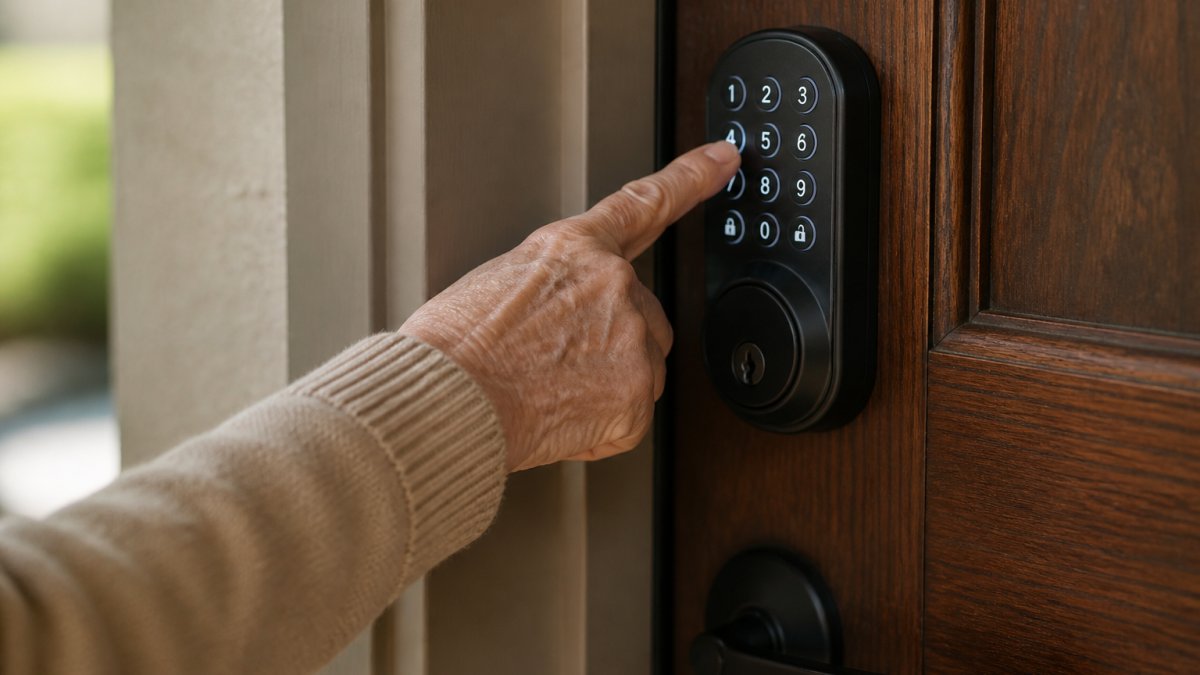
Keypad Door Locks for Seniors: PIN Codes and Biometric Access
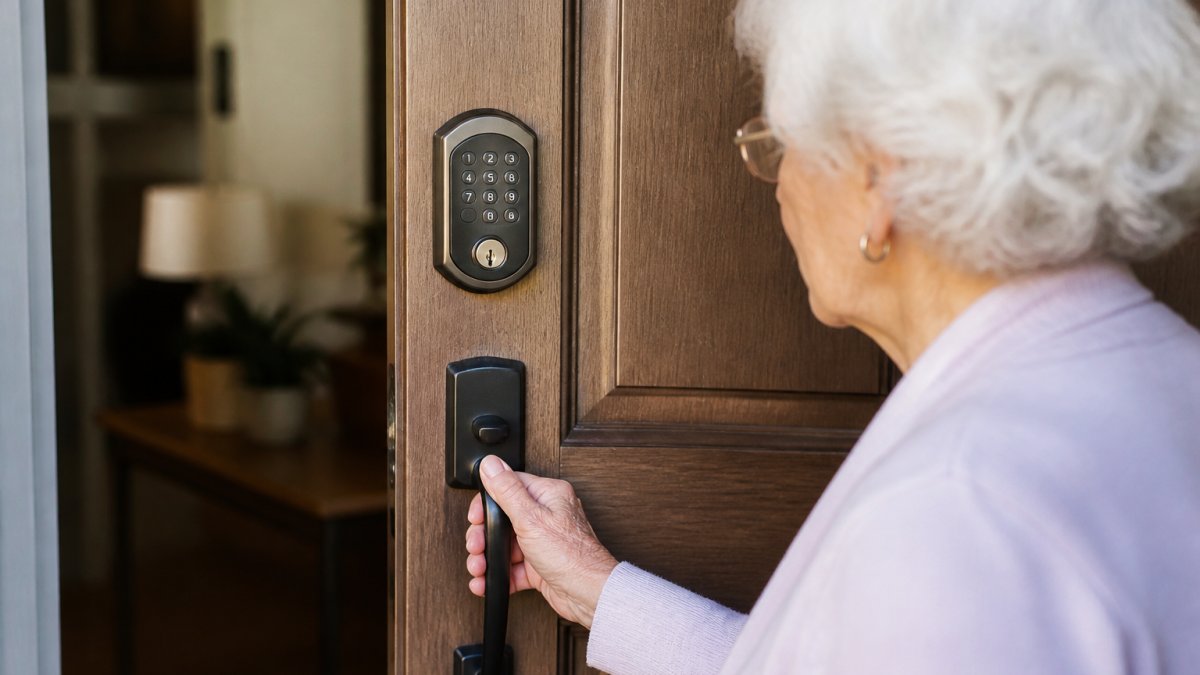
Keypad door locks for seniors offer a middle ground between physical keys and smartphone-dependent systems. A PIN code doesn't require remembering where a key is or unlocking via an app, just enter numbers and turn the handle.
PIN codes work best when:
- The code is short (4-6 digits) and easy to remember
- The same code is used consistently (changing codes confuses seniors)
- The lock provides clear feedback that the code was accepted
- A backup code exists for caregivers
Biometric access (fingerprint recognition) sounds appealing but has real limitations for elderly users. Dry skin, arthritis-related hand deformation, and age-related changes in fingerprints reduce reliability. If biometric access is included, it should be a secondary option, not the primary method.
TP-Link Tapo DL100 Smart Keyless Wi-Fi Deadbolt excels at straightforward keypad operation. Tapo specifically markets this as a keypad-focused model, which means the interface prioritizes PIN entry over app complexity.
Nest x Yale includes keyless access through voice commands and remote control, which appeals to caregivers managing multiple family members. Security.org ranks it highly for 2026, citing its combination of keyless methods.
Smart Locks with Caregiver Access: Remote Monitoring and Control
Smart locks with caregiver access transform how families stay connected to aging parents. Remote access isn't about spying, it's about responding to emergencies without waiting for a locksmith or driving across town.
What caregiver access should include:
- Remote unlock capability (caregiver can unlock the door from anywhere via app)
- Access logs (who unlocked the door, when, and how)
- Door status alerts (notifications when the door is opened or closed)
- Temporary access codes (assign codes to specific people with expiration dates)
- Multiple user management (different caregivers with different permission levels)
August Wi-Fi Smart Lock delivers on all these fronts. SafeWise identifies it as the best overall option for 2026 (Best Smart Locks of 2026 - Convenient and Safe Access). The lock integrates with smart home systems, supports remote unlocking, and provides detailed access logs. For a family managing care across distances, this is the lock that justifies its price.
Schlage Arrive Smart WiFi Deadbolt earned Wirecutter's top-pick status for good reason. The review specifically highlights strong hardware and simple installation, two factors that matter enormously for older homes. Installation difficulty is often overlooked but critical: a lock that requires rewiring or professional installation creates barriers to adoption.
Caregivers should receive alerts when the door opens or closes. Many seniors live alone, and an unexpected door opening at 3 a.m. might indicate a fall, confusion, or a real security breach. Real-time notifications let caregivers respond immediately.
Smart Lock Battery Backup and Emergency Access Planning
Smart lock battery backup isn't a luxury feature, it's a safety requirement. A lock that dies when the battery fails is worse than a mechanical lock because it creates false security.
Battery specifications to verify:
- Battery type (alkaline, lithium, or rechargeable)
- Expected battery life (typically 6-12 months with normal use)
- Low-battery alert (the lock should notify you before it dies, not after)
- Backup power options (some locks have USB charging, others have emergency battery ports)
August Wi-Fi Smart Lock and Schlage Arrive both provide clear low-battery alerts through their apps. You'll receive notifications when the battery drops to 20%, giving you time to replace it before lockout occurs.
Emergency access planning means answering: What happens if the battery dies, power fails, and no one can unlock the door? The answer should always be "there's a physical key." Beyond that, consider:
- Does the lock have a manual override? (Some locks have a physical keyhole for emergency access)
- Can the lock be powered externally? (Emergency battery ports allow temporary power if needed)
- Is professional locksmith access available? (A-1 Locksmith can provide emergency access without damaging the lock)
For elderly users living alone, an emergency access plan should be documented and shared with caregivers. Write down where spare keys are kept, who has them, and how to contact a locksmith if needed.
Installation, Compatibility, and When to Call a Professional
Smart lock installation difficulty varies dramatically. Some locks retrofit onto existing deadbolts in 15 minutes. Others require removing the entire lock assembly and potentially replacing the door frame.
Before purchasing, verify:
- Does the lock fit your door's deadbolt? (Standard deadbolts are different sizes; measure yours)
- Is your door frame compatible? (Older homes sometimes have non-standard frames)
- Does installation require removing the existing lock? (Retrofit locks are simpler; full replacements take longer)
- Is wiring needed? (Most modern smart locks are wireless, but some require power connections)
Schlage Arrive Smart WiFi Deadbolt earned praise specifically for simple installation. Wirecutter noted that strong hardware and straightforward setup appeal to homeowners who want to avoid professional installation costs. For most standard doors, this lock installs in under 30 minutes.
When to call a professional: If your door has a non-standard deadbolt, a damaged frame, or if you're uncomfortable removing the existing lock, hire a locksmith. A-1 Locksmith handles smart lock installations and can assess your door's compatibility before you purchase. Professional installation costs more upfront but prevents the frustration of buying an incompatible lock.
Older homes sometimes have unique lock configurations. A 1950s deadbolt might not accept a modern smart lock without modifications. A professional assessment prevents costly mistakes.
Which Smart Lock Should You Choose?
| Lock | Starting Price | Best For | Key Features |
|---|---|---|---|
| Nest x Yale | Not stated | Caregivers managing remote access | Keyless entry, voice control, remote unlock |
| August Wi-Fi Smart Lock | $229.99 | Comprehensive smart home integration | Remote access, detailed logs, multiple users |
| Schlage Arrive Smart WiFi Deadbolt | Not stated | Simple installation on standard doors | Strong hardware, straightforward setup, WiFi-enabled |
| TP-Link Tapo DL100 | $59 | Budget-conscious families | Large keypad, simple operation, affordable |
| Yale Assure Lock 2 | $149 | Keypad-focused access | Keypad versions available, established brand |
Start with these questions:
Question 1: Is remote caregiver access essential? If yes, August Wi-Fi Smart Lock or Nest x Yale. If no, a simpler keypad lock like Tapo DL100 works fine.
Question 2: How tech-savvy is the senior? If they struggle with smartphones, prioritize large keypads and physical key backups. If they're comfortable with apps, remote access becomes practical.
Question 3: What's your budget? Tapo DL100 handles basic keypad access. August adds remote monitoring. Both are legitimate choices depending on your situation.
Question 4: Is your door a standard deadbolt? If yes, most smart locks work. If no, get a professional assessment before purchasing.
For most families, the best smart locks for elderly safety combine three things: a large, tactile keypad; a physical key backup; and caregiver access through a smartphone app.
A-1 Locksmith has been serving Huntsville since 1970, providing expert residential security services, including smart lock installations. We've seen what works and what creates frustration.
Frequently Asked Questions
What is the easiest smart lock for an older adult to use?
Keypad smart locks are often the simplest option for elderly users because they eliminate the need to carry or find a physical key. Models with large, clearly visible numbers and simple entry sequences require minimal smartphone knowledge. Biometric options like fingerprint access can work well for seniors with steady hands and good finger recognition. The best choice depends on the individual's comfort with technology and physical dexterity. A-1 Locksmith can assess your specific needs and recommend the right system during a consultation.
Can a smart lock be opened without a smartphone?
Yes. Most quality smart locks for elderly users offer multiple access methods: keypad entry with a PIN code, physical backup keys, and biometric options like fingerprint recognition. Smartphone apps provide convenience and remote monitoring, but they should never be the only access method. This redundancy is especially important for seniors, as it ensures entry remains possible even if a phone is lost, dead, or unavailable. Always confirm that your chosen lock includes at least two non-app access options.
Can family members unlock a smart lock remotely and receive alerts?
Yes. Smart locks with caregiver access allow family members to unlock doors from anywhere using a smartphone app, making emergency assistance faster. Many models send notifications when the door is unlocked or locked, who accessed it, and when. This feature is valuable for adult children monitoring aging parents' safety and can alert caregivers to unusual activity. Features and privacy settings vary by model, so review access controls carefully to balance safety with the user's independence and privacy preferences.
What happens to a smart lock if the power or Wi-Fi goes out?
Quality smart locks have battery backup that keeps the lock functioning during power outages. Most operate on standard AA or AAA batteries lasting 6-12 months. Wi-Fi outages don't affect keypad, fingerprint, or physical key access, though remote app control becomes unavailable. Low-battery alerts notify you before the batteries die, preventing lockouts. Always choose a lock with battery backup and a clear low-battery warning system. A-1 Locksmith can explain the backup features of each model and help you establish an emergency access plan.