 Ultimate guide
How Do You Upgrade Residential Locks the Right Way?
Last Updated: October 30, 2026
Quick Summary
The best lock upgrade starts with the door frame, not the lock. Inspect the frame, measure door thickness and backset, then choose a deadbolt with a full one-inch throw. Anchor the strike plate with 3-inch screws into the framing studs.
- Most lock failures happen at the frame, not the cylinder, so inspect for wear, rot and loose screws first.
- Look for a full one-inch bolt throw and a solid steel or hardened-steel bolt.
- Drive 3-inch screws through a heavy-gauge steel strike plate into the framing stud behind the jamb.
- Check the ANSI/BHMA grade on the packaging; Grade 1 is the highest residential rating.
- Confirm protocol compatibility with your hub before buying any smart lock.
Table of Contents
- Assessing Your Current Door Security Before You Buy
- Choosing the Best Deadbolt for Home Security
- Lock Grade and Security Ratings Explained
- Smart Lock Installation for Home: What to Expect
- Rekey or Replace Locks After Moving
- Booking Your Lock Upgrade with A-1 Locksmith
- Frequently Asked Questions
Upgrading your residential locks is one of the most effective security improvements a homeowner can make, and getting it right depends on the details most guides skip. A-1 Locksmith has served Huntsville, Texas since 1970, and our licensed and insured technicians work with homeowners every day.
The short version is that a strong lock only protects you if the door frame, strike plate and hardware around it are sound. Start there.
Assessing Your Current Door Security Before You Buy
Most lock failures happen at the frame, not the cylinder. Before shopping, inspect the door and frame for wear, rot, gaps and loose screws. A common mistake is replacing a deadbolt on a door whose frame is weak.
Door Thickness, Frame Condition and Strike Plates
Measure the door thickness and the backset (the distance from the edge of the door to the center of the lock bore) before buying any hardware, since mismatched sizes are a frequent reason returns happen. Check that the strike plate is secured with 3-inch screws driven into the solid framing studs rather than the short screws in the trim.
Choosing the Best Deadbolt for Home Security
For most exterior doors, the deadbolt is the core of the upgrade, but a deadbolt is only as strong as the three points it depends on: the bolt, the cylinder, and the frame it throws into. The best practices below cover all three.
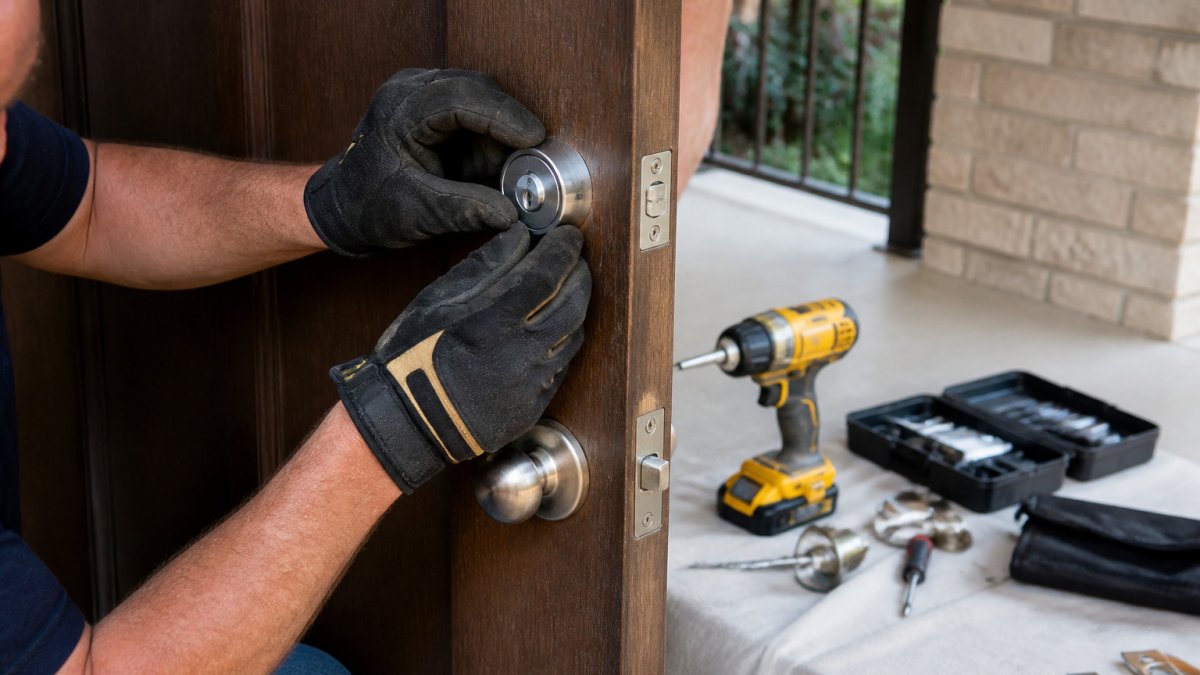
What Actually Makes a Deadbolt Strong
- Bolt throw and material. Look for a full one-inch throw (the distance the bolt extends into the frame) and a solid steel or hardened-steel bolt. A bolt with a hardened steel insert resists sawing; a bolt with a hardened roller or pin resists cutting through the center. Avoid bolts that are hollow or made of soft zinc.
- Cylinder type. The cylinder is the part your key enters, and it is the part an attacker attacks. A standard pin-tumbler cylinder is fine for most homes; a high-security cylinder with a restricted keyway, hardened steel face, and anti-drill pins raises the bar. Ask whether the cylinder can be rekeyed or replaced independently of the bolt, serviceable hardware lasts longer.
- Bolt-to-frame interface. This is where most deadbolts fail. The bolt must seat fully into the strike plate, and the strike plate must be anchored into the wall framing, not just the door trim.
Door Hardening: The Step Most Guides Skip
Upgrading the lock without reinforcing the door can leave the frame as the weak point. A deadbolt is only as strong as the strike plate and frame around it. Several reinforcements can strengthen the frame around a deadbolt:
- Reinforced strike plate with 3-inch screws. Replace the standard strike with a heavy-gauge steel strike and drive 3-inch screws through it into the framing stud behind the jamb.
- Door frame reinforcement. A metal wrap or jamb reinforcement plate distributes kick force across the frame instead of concentrating it at the bolt. This is the piece that prevents the frame from splitting under a single kick.
- Hinge-side screws. Replace one short screw in each hinge with a 3-inch screw that reaches the framing. This resists the door being pried from the hinge side, which is the other half of a forced-entry attempt.
Deadbolt Versus Handleset Upgrades
A handleset mainly controls convenience and appearance, so upgrading it alone leaves the deadbolt unchanged. Upgrade the deadbolt first, then match the handleset to it for a consistent finish and a single key. For a broader look at picking residential door locks, see our homeowner's guide to residential door locks.
Matching the Deadbolt to the Door
Before ordering, confirm the door thickness (most residential doors are 1-3/4 inches, but older and specialty doors vary), the backset (2-3/8 or 2-3/4 inches), and the bore hole diameter. A deadbolt that does not seat squarely in the bore will bind, and a bolt that does not align with the strike will not fully throw. Measure first; returns on mismatched hardware are common.
ANSI/BHMA hardware grade standards
Lock Grade and Security Ratings Explained
ANSI/BHMA grades are the standard you should check on the packaging. Grade 1 is the highest rating for residential and commercial hardware, Grade 2 is a solid residential choice, and Grade 3 is the baseline. Look for the grade and a pick-resistance or drill-resistance claim, and treat a lock without any published rating with caution. A-1 Locksmith technicians can tell you which grade suits your door and exposure.
The article's grading guidance can be scanned at a glance:
| Grade | Role | Note |
|---|---|---|
| Grade 1 | Highest residential and commercial rating | Check packaging for the grade |
| Grade 2 | Solid residential choice | Good for most homes |
| Grade 3 | Baseline rating | Lowest of the three grades |
Smart Lock Installation for Home: What to Expect
Smart locks add keyless entry, app-based access, and remote monitoring, and some homeowners find them worth the added complexity, but the upgrade only pays off if the lock talks to the rest of your home. The section below covers what installation actually involves and, more importantly, how to choose a lock that fits your existing ecosystem rather than forcing you to replace it.
The Three Connection Models
Smart locks connect in one of three ways, and the choice determines what you can do with the lock:
- Bluetooth-only. The lock talks directly to your phone when you are nearby. Setup is simple and no hub is required, but remote access and integration with other devices are limited. Best for a single door and a homeowner who does not want a hub.
- Wi-Fi built in. The lock connects to your router directly, enabling remote access and app control without a separate hub. The trade-off is battery life, Wi-Fi radios draw more power than low-power mesh radios, so expect more frequent battery changes.
- Hub-based mesh (Z-Wave or Zigbee). The lock joins a low-power mesh network through a hub, which extends range, preserves battery life, and enables automation with other devices.
Ecosystem Integration: What to Confirm Before You Buy
Integration is an important consideration when buying a smart lock. Before ordering, confirm three things:
- Protocol compatibility. Check whether the lock uses Z-Wave, Zigbee, Matter, or a proprietary protocol, and whether your existing hub or alarm panel supports it. A Z-Wave lock will not join a Zigbee-only hub without a bridge.
- Matter and the direction of travel. Matter is the cross-vendor standard intended to let locks work across platforms without vendor-specific bridges (Build With Matter). A lock that supports Matter is more future-proof, but confirm the specific platform you use has completed Matter support for locks before relying on it.
- Alarm-system handoff. If you have a monitored alarm, ask whether the lock can trigger or be triggered by alarm events, for example, unlocking disarms the system, or an alarm event locks the door.
Access Methods, Battery Life, and the Key Override
Keypad, biometric, and app-based access each have trade-offs. Keypads avoid dependence on a phone; biometric readers add convenience but vary in accuracy and can be affected by wet or cold fingers; app access makes temporary codes easy to issue for guests and service providers. Check battery life and the low-battery warning behavior, a lock that warns only at the door is a lockout waiting to happen. A mechanical key override is essential in case of battery failure, and it should be a key you can actually service.
Installation Expectations
Expect the installation to take longer than a standard deadbolt. The lock needs power or batteries, a network connection or hub pairing, and a firmware setup, and the door must fall within the manufacturer's thickness and backset range. On older doors, the existing bore and strike may need adjustment before the smart lock will seat and throw correctly.
Connectivity Standards Alliance Matter specification overview
Rekey or Replace Locks After Moving
After a move, rekeying the existing cylinders can be an alternative to full replacement, because it changes the internal pins so old keys no longer operate the lock. Replacement makes sense when the hardware is worn, the grade is low, or the door is damaged. Ask your locksmith to inspect the lock before deciding.
Booking Your Lock Upgrade with A-1 Locksmith
A-1 Locksmith provides residential lock services in Huntsville, and our technicians are licensed and insured. Pricing depends on the lock type, the door condition and the work involved, so we recommend contacting us for a current quote. Review our full list of locksmith services to see what we cover, then reach our team to schedule your upgrade and get a clear quote before any work begins.
Frequently Asked Questions
When should you upgrade the locks on your home?
Upgrade your locks after a move, after a lost or stolen key, after a break-in attempt, when a lock feels loose or sticks, or when you add a new entry point. Older hardware with worn cylinders or a weak strike plate is also worth replacing. A licensed locksmith can inspect the door and tell you whether a rekey, a new deadbolt or a full replacement makes the most sense for your situation.
Should you rekey or replace your locks after moving?
If the locks are in good condition and the previous owners or tenants never had a key to reuse, rekeying is usually the faster and less costly choice, because the cylinders are changed and new keys are cut to match. If the locks are worn, damaged or a low security grade, replacing them is the better option. Either way, changing the locks after a move removes access from anyone who still holds an old key.
Are smart locks more secure than traditional deadbolts?
A smart lock is only as secure as its mechanical core and its configuration. Many smart locks still rely on a standard deadbolt body, so a high-quality traditional deadbolt with an ANSI Grade 1 or Grade 2 rating can match or exceed a smart model. Smart locks add convenience and remote monitoring, and they should use encryption and two-factor authentication. Compare the mechanical rating first, then evaluate the electronic features.
Can you upgrade a lock without replacing the entire door?
In many cases, yes. You can replace a deadbolt or handleset without replacing the door if the door is solid, the frame is sound and the bore holes match the new hardware. A longer strike plate with heavier screws, or a reinforced frame, often adds more protection than the lock alone. Door thickness and hole spacing should be measured before ordering new hardware to avoid a mismatch.
What should you check before installing a new deadbolt?
Check the door thickness, the backset (typically 2-3/8 or 2-3/4 inches), the bore hole diameter and the door frame condition. Confirm that the new deadbolt has an ANSI grade and that the strike plate will reach solid framing, not just trim. Inspect the door for warping or gaps, and make sure the door closes and latches smoothly before you begin.
How often should residential locks be maintained or replaced?
Replace a lock when it binds, when the key turns with difficulty, when the bolt does not fully extend, or when the hardware no longer meets your security needs. Smart locks should have their batteries checked on a regular schedule, and firmware should be kept current.
What does a professional lock upgrade typically involve?
A professional upgrade usually starts with a door and frame inspection, followed by selecting hardware that matches the door thickness and bore spacing. The technician then installs the new lock, adjusts the strike plate, tests the bolt alignment and programs any electronic components. Pricing depends on the lock type, the number of doors and the complexity of the job, so request a written quote from A-1 Locksmith before scheduling.