 Listicle
Are Smart Home Locks Worth It in 2026?
Last Updated: November 4, 2026
Quick Summary
Smart home locks are worth it if you want keyless entry, remote access, and a record of who came and went. They are not worth it if you rent and cannot change the hardware, or if you need a lock that works flawlessly with no battery and no app.
- The global smart lock market was valued at $3.3 billion in 2025 and is projected to reach $4.0 billion in 2026.
- Built-in Wi-Fi allows remote unlocking but costs more battery life than Z-Wave or Zigbee with a hub.
- Measure door thickness and backset before ordering, since fit problems are the most common reason DIY installs stall.
- Choose a lock with key backup so a dead battery or app outage does not mean an emergency locksmith call.
- Budget for batteries, a hub if needed, and installation, not just the sticker price of the lock.
Table of Contents
- Are Smart Home Locks Worth It in 2026?
- Quick Comparison: Best Smart Home Locks for 2026
- Smart Lock Types, Connectivity, and Door Compatibility
- Smart Home Locks With Key Backup: Why a Mechanical Key Still Matters
- Smart Lock Security and Hacking Risks: What the Research Shows
- Smart Lock Compatibility With Smart Home Systems
- Outages, Batteries, and Total Cost of Ownership
- Book a Smart Lock Installation With A-1 Locksmith
- Frequently Asked Questions
Are Smart Home Locks Worth It in 2026?
The global smart lock market was valued at $3.3 billion in 2025 and is projected to reach $4.0 billion in 2026, according to Grand View Research's smart lock market report. That growth says something simple: more homeowners are deciding smart home locks are worth the money. At A-1 Locksmith, we have installed and serviced residential locks in this area since 1970, and the questions we hear have shifted from "should I?" to "which one?"
Here is the short answer. Smart home locks are worth it if you want keyless entry, remote access, and a record of who came and went. They are not worth it if you rent and cannot change the hardware, or if you need a lock that works flawlessly with no battery and no app.
Below, we break down the best smart home locks for 2026, what each connectivity type means for your door, and the security and cost questions most buyers skip.
Quick Comparison: Best Smart Home Locks for 2026
Here are the models that show up repeatedly in 2026 review roundups, with what the research actually tells us about each. We have kept pricing to what published sources state.
| Model | Price (as published) | Standout Feature | Best For |
|---|---|---|---|
| Yale Assure Lock 2 | $199-$299 | Works with Apple Home/HomeKit and other platforms | Multi-platform households |
| Schlage smart locks | $200-$350 | Broad brand range, ANSI-rated options | Buyers who want brand choice |
| August Wi-Fi Smart Lock | Not stated in sources | Built-in Wi-Fi | Wi-Fi-first setups |
| Ultraloq Bolt Fingerprint | Not stated in sources | Fingerprint entry | Keyless biometric access |
| Lockly Visage Zeno | Not stated in sources | Facial recognition deadbolt | Hands-free entry |
| Eufy Smart Lock C34 | Not stated in sources | Described as low-cost by Wirecutter | Budget shoppers |
Smart Lock Types, Connectivity, and Door Compatibility
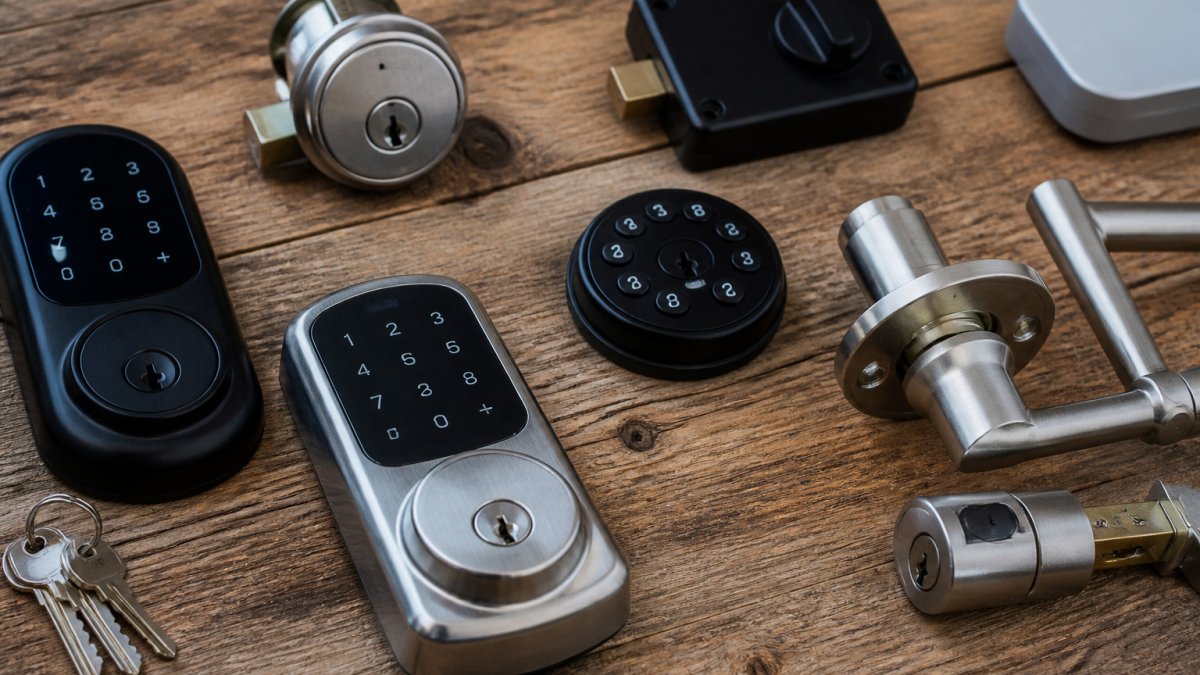
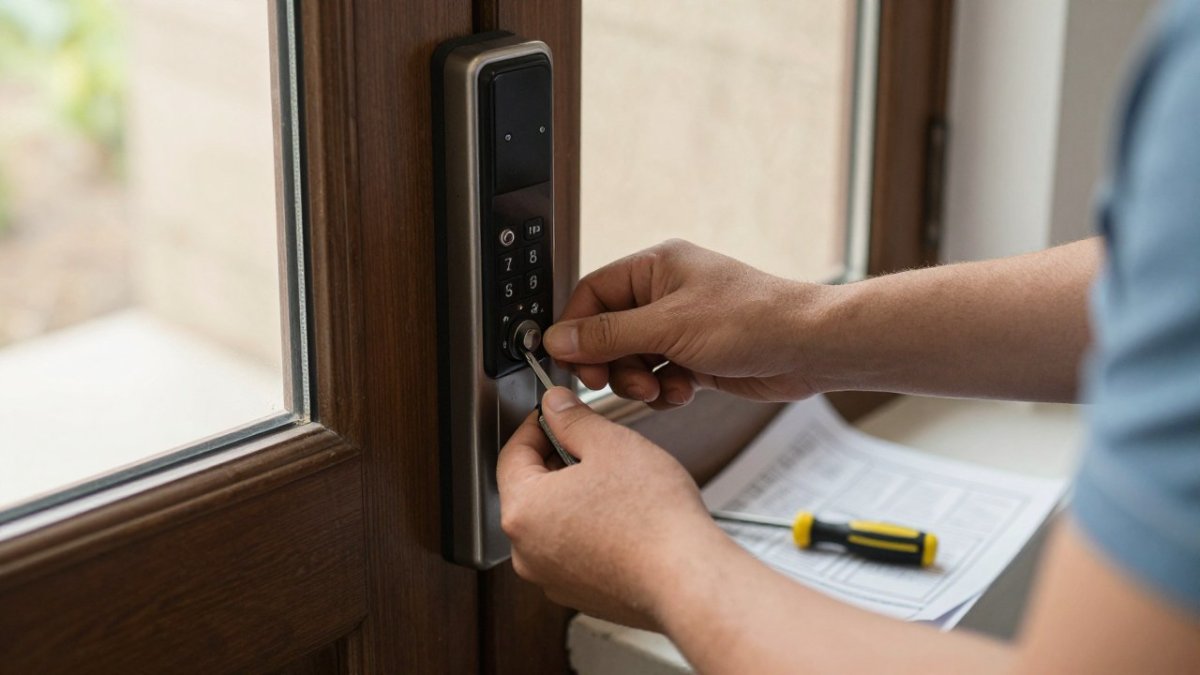
Most smart home locks fall into two hardware families: deadbolt replacements, which swap out your existing deadbolt, and retrofit locks, which mount over your current thumbturn. Deadbolt replacements give you a keypad or fingerprint reader on the outside. Retrofit models keep your existing keys and add app control.
Wi-Fi, Bluetooth, Z-Wave, and Zigbee: What Each One Means for You
Built-in Wi-Fi lets the lock talk to your router directly, so you can unlock from anywhere without extra hardware.
Bluetooth works only when you are close to the door. It is reliable and cheap on power, but it is not remote access.
Z-Wave and Zigbee are low-power wireless standards that need a hub.
A practical rule: if remote access is the point, buy built-in Wi-Fi or a hub you already own.
Checking Door Compatibility Before You Buy
Measure your door's thickness and backset before ordering anything. Check whether your door has a standard bore hole, and confirm the deadbolt throw matches your frame.
Use this pre-purchase checklist, because most returns and failed installs trace back to one of these items:
- Door thickness: Measure the door slab, not the frame. Confirm the lock's spec sheet lists your door's thickness.
- Backset: Measure from the edge of the door to the center of the bore hole. Verify the backset your lock supports against your door before ordering.
- Bore hole and cross-bore: Confirm the door already has the bore holes the lock requires. Older or custom doors may not, and enlarging a hole is a one-way change.
- Deadbolt type: Note whether you have a single-cylinder deadbolt (key outside, thumbturn inside) or a double-cylinder deadbolt (key both sides). Double-cylinder hardware changes which smart locks will fit.
Watch out: a lock that fits the door can still fail the frame.
If you are unsure, take photos of the door edge, the interior thumbturn, and the frame strike, and measure thickness and backset with a tape measure.
Smart Home Locks With Key Backup: Why a Mechanical Key Still Matters
A smart home lock with key backup keeps a traditional cylinder alongside the keypad or app. That matters more than most buyers expect.
Dead batteries happen. Apps go down. Phones get lost.
Watch out: some keypad-only models have no keyway at all. If the battery dies and there is no backup, you are calling a locksmith for an emergency entry instead of turning a key.
For households with older family members or caregivers managing access, a key backup is often the deciding feature. Our guide to smart locks for elderly safety covers the models and setups that work best for those situations.
Smart Lock Security and Hacking Risks: What the Research Shows
Smart lock security and hacking risks are real, but the research is more nuanced than headlines suggest. A case study that reverse-engineered the August Smart Lock examined vulnerabilities in smart-home appliances by taking the lock apart and probing its communications. Separately, PBS NewsHour reported that researchers found critical design flaws in the majority of 24 smart-home security gadgets reviewed, though that sample was not limited to locks.
What does that mean for you? Buy locks with encryption, tamper alarms, and a documented security rating such as ANSI Grade 2 or better. Change default codes immediately. Keep firmware updated.
Privacy deserves a mention too. The Electronic Frontier Foundation argues that smart-lock access data can expose tenants' privacy and has called for limits on disclosure to law enforcement. If you rent, ask who owns the access log.
Smart Lock Compatibility With Smart Home Systems
Smart lock compatibility with smart home systems is where most purchase mistakes happen. A lock that works beautifully on its own can be useless if it will not talk to your hub or voice assistant.
Check three things before buying:
- Platform support: Does it list Apple Home, Google Home, Amazon Alexa, or SmartThings?
- Hub requirements: Z-Wave and Zigbee locks need a compatible hub; Wi-Fi locks usually do not.
- Voice control: Confirm the specific voice commands and routines you plan to use are supported.
Platform support varies by model, so check that a lock lists the ecosystem your household uses before you buy.
Outages, Batteries, and Total Cost of Ownership
Total cost of ownership is the angle most buying guides skip. The sticker price is only the start.
Add up the lock itself, batteries over its life, a hub if your model needs one, and professional installation if you are not comfortable drilling and aligning a deadbolt.
A line-item view keeps the math honest:
- Hardware: The lock itself, typically the largest single cost. Prices vary widely by feature set, finish, and whether the model includes a keypad, fingerprint reader, or camera.
- Hub: Only needed for Z-Wave and Zigbee models, or for some platform integrations. If you already run a compatible hub, this line is zero; if not, price the hub before choosing a lock.
- Batteries: Wi-Fi radios draw more power than Z-Wave or Zigbee. Alkaline AA cells are the common spec, and high-drain Wi-Fi locks may need replacement every few months, while low-power hub models can last much longer. Confirm with the manufacturer which battery types it supports.
- Installation: DIY is possible on a standard door with standard bore holes. Professional installation adds labor, but it also catches frame and alignment problems that cause callbacks.
Then think about outages. A Wi-Fi lock loses remote access when your internet drops, but keypad and key entry still work.
The failure modes worth planning for are specific:
- Wi-Fi or internet outage: Remote unlock and app status fail, but local keypad, fingerprint, and key entry usually continue to work. If your lock depends on the cloud for scheduled codes, those schedules may not run until connectivity returns.
- Hub failure: Z-Wave and Zigbee locks may lose app control and automation, but the keypad and key override remain. A hub that loses power is a local outage, not a lock failure.
- Battery depletion: Many locks warn with a low-battery alert before the battery runs out. A keypad-only model with no keyway is the risky case, because a dead battery can mean an emergency locksmith call.
- Power loss at the home: Battery-powered locks are designed to keep working without household power. The weak point is usually the hub, router, or bridge, not the lock.
A common pattern is that buyers overpay for remote features they rarely use and underbudget for batteries and installation. If you are still weighing smart against traditional hardware, our smart lock vs. traditional lock comparison lays out the trade-offs side by side.
Book a Smart Lock Installation With A-1 Locksmith
Here is the step most people underestimate: installation. A deadbolt that is misaligned, over-torqued, or fitted to a door with the wrong backset will jam, drain batteries, and fail at the worst moment.
At A-1 Locksmith, our licensed and insured technicians have handled residential lock work since 1970, including smart lock installation and setup for people who would rather not wrestle with an app themselves. If you want guidance on picking an installer, read our guide on how to choose professional smart lock installation, then review our services or contact us to schedule.
Frequently Asked Questions
What is the best smart lock for a home?
There is no single best pick, because the right choice depends on your door, your smart home platform, and who needs access. Many models work well depending on your door and needs. If you want fingerprint entry, look for models that offer it. Match the lock to your door and app before you match it to a review score.
Can a smart lock still be opened with a key?
Many smart home locks with key backup include a traditional mechanical key cylinder, so you can still get in if the battery dies or the electronics fail. This matters most for rentals and for anyone who does not want to depend on an app. When you shop, confirm the model has a physical key override, and keep a spare key somewhere off-site. A locksmith can confirm the cylinder type and rekey it to match your existing keys.
How hackable are smart locks?
Research shows real risk, not just theory. Security vulnerabilities have been documented in some smart locks. The practical defenses are simple: use a unique password, turn on two-factor authentication, keep firmware updated, and avoid sharing access codes widely. Access data can also raise privacy concerns.
Do smart locks work if the Wi-Fi goes out?
Most do, in some form. Keypad codes, fingerprint entry, and the mechanical key usually keep working without Wi-Fi, because those functions run on the lock itself. What stops is remote access: unlocking from anywhere, guest passes issued from an app, and activity alerts. If you rely on remote access for caregivers or contractors, check whether the model supports local control over Bluetooth or Z-Wave, and always keep the physical key accessible.
Are smart locks difficult to install?
Installation difficulty depends on the lock and the door. A retrofit lock that fits over your existing deadbolt is usually a straightforward swap, while a full replacement deadbolt may need the door bored or modified. Door thickness, backset, and deadbolt bore size all have to match. If your door is older, steel, or has unusual hardware, a professional installation avoids stripped screws and misaligned bolts. A-1 Locksmith installs and sets up smart locks for homeowners who would rather not handle it themselves.
The challenge is simple: pick the right lock for your door, your phone, and your household, then get it installed correctly. A-1 Locksmith can help with licensed and insured technicians, 24/7 emergency availability, and clear, transparent pricing. Get started with A-1 Locksmith and secure your door with a smart lock that actually works.